


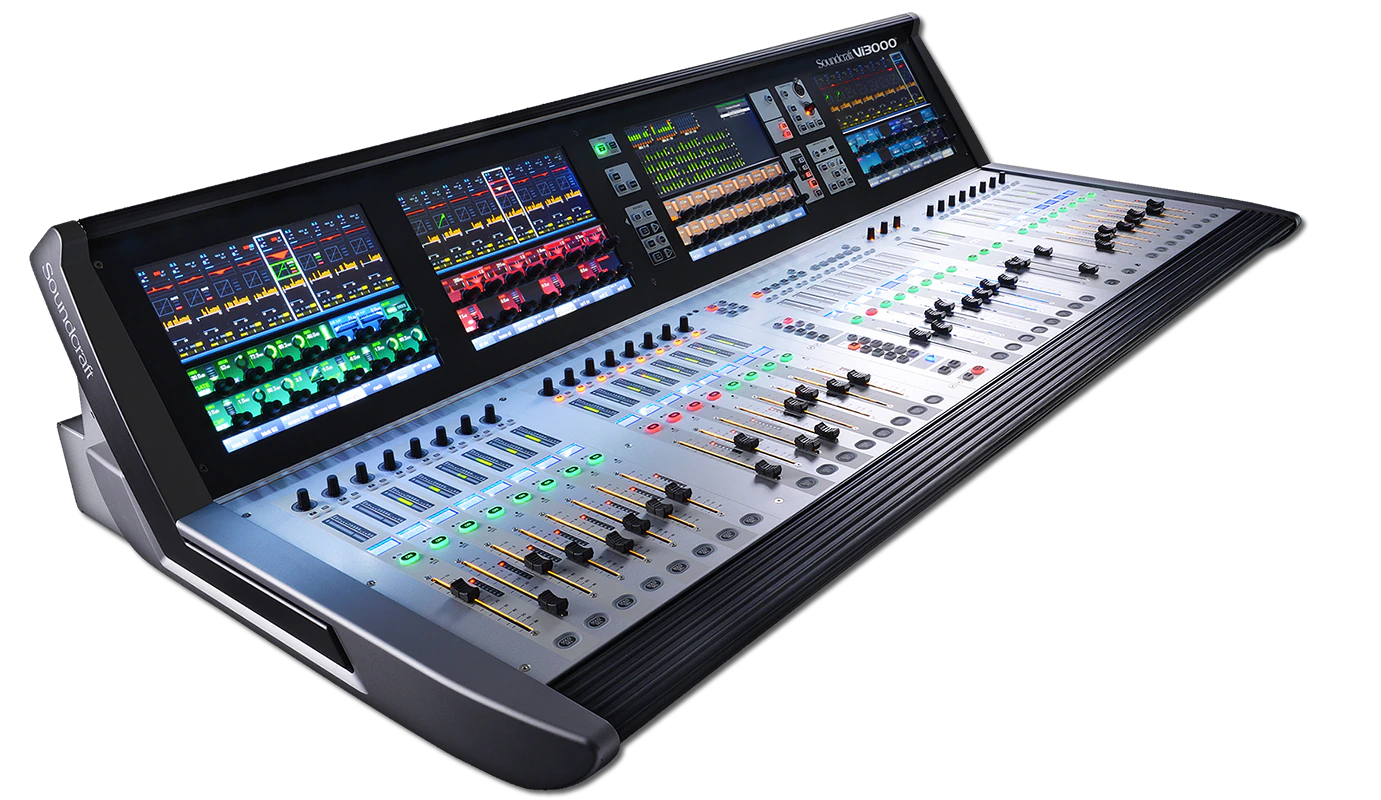
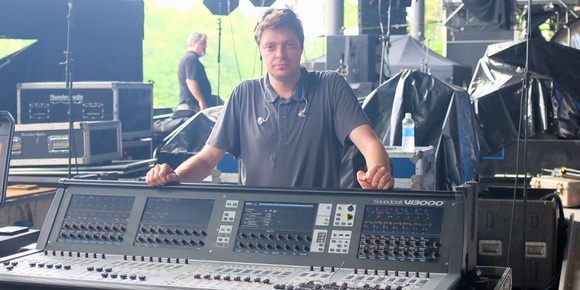
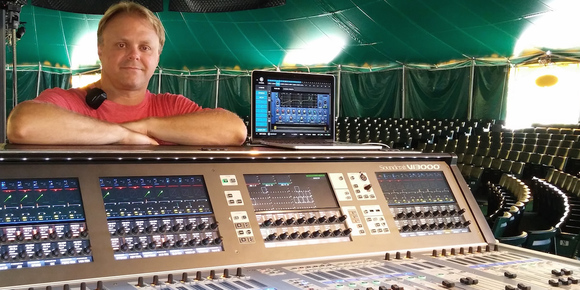
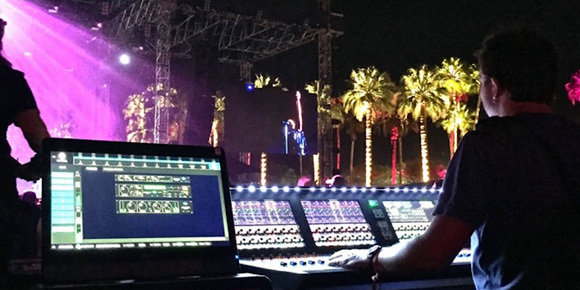
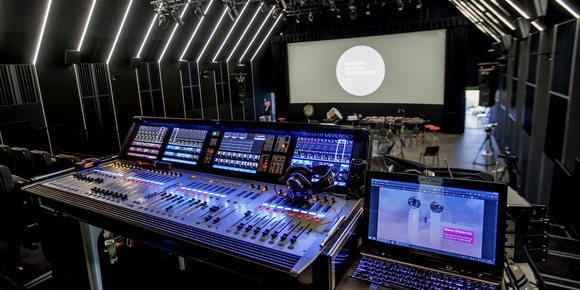
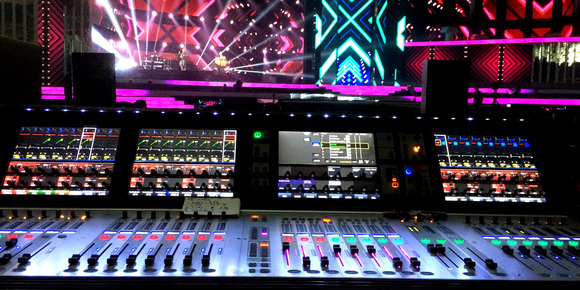
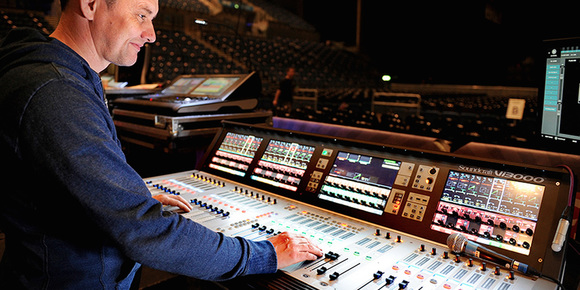
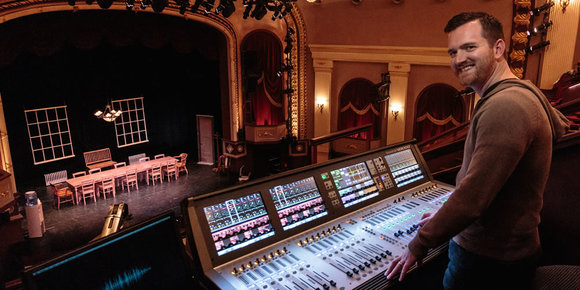
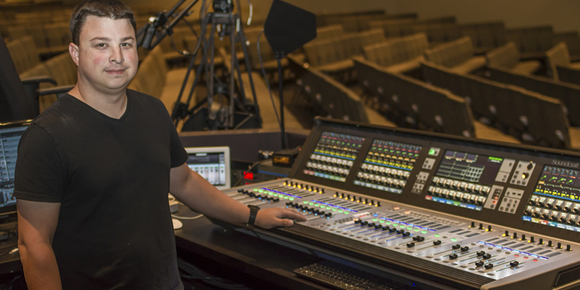
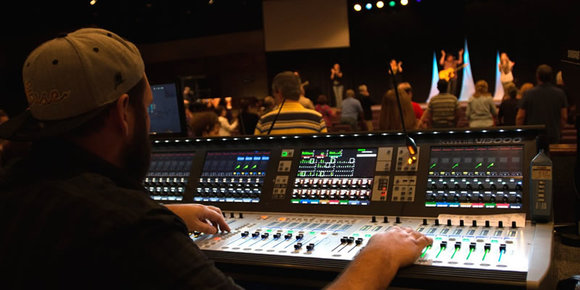
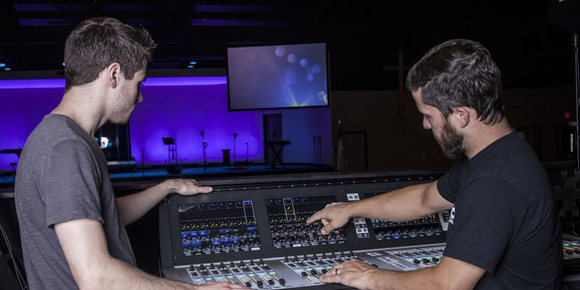
The Soundcraft Vi3000 features an all-new appearance with a more efficiently designed control surface, 36 faders, 24 mono/stereo busses and a sweeping black screen panel with four Vistonics II™ touchscreen interfaces with sleek, updated 3D graphics. Because the Vi3000 has four touchscreens, it's the only console in its class that can be used by two engineers at the same time.
The Soundcraft Vi3000 offers extensive rear panel connectivity. In addition to a full complement of analog and digital inputs and outputs, the console provides MIDI, USB, Ethernet, DVI out, Dante/MADI record feed outputs, redundant power supply and other connections. The Vi3000 has two expansion bays that can be fitted with MADI Stagebox cards, to connect multiple Soundcraft Stagebox input expander modules. The Vi3000 can also accommodate the new Soundcraft Realtime Rack, a hardware/software unit designed in collaboration with plug-in manufacturer Universal Audio that provides access to 74 industry-standard UAD plug-ins. The Vi3000 is the first Soundcraft console to incorporate a Dante interface as standard, for seamless digital audio networking with Dante-enabled devices.
Along with its greatly expanded functionality, the Vi3000 retains all the features that have made the Soundcraft Vi Series the consoles of choice for live sound engineers worldwide, such as FaderGlow™ illuminated faders that display different colors according to function, the ability to store and recall snapshots and cues, compatibility with Soundcraft's ViSi app that allows remote control from an iPad, built-in Lexicon reverb/delays, dbx compression, effects and more.
Features
Virtual Vi offline set up - Set up your shows offline and load them into the Vi3000 via USB
VM2 radio mic status monitoring - Monitor the status of SHURE ULX-D and QLX-D and HiQnet-compatible AKG radio mics directly from the console surface with realtime visual displays of battery life, RF status, mic muting and internal clipping.
BSS DPR901ii Dynamic EQ - this acclaimed industry-standard DEQ is built in as standard with 8 instances available for inserting on any input or output channel. The DEQ can be used at the same time as the existing channel EQ and Dynamics sections.
Copy/Paste channel bus and FX settings - Dedicated Copy and Paste buttons on the surface allow the settings of any channel, bus or FX section to be copied and pasted, dramatically cutting down the set up time.
Copy/Paste processing elements - Operators can drill down to copy and paste even single processing elements, and the last paste operation can always be quickly reversed with an UNDO function.
Settings Library - Along with a useful library of EQ and Dynamics settings, operators can store their own settings in the console or to a USB memory stick, making initial set up and transition between shows even easier.
Sophisticated Cue List Management - Allows changes to be applied to multiple cues and recall scope to be set per snapshot.
Advanced events integration - Cues can trigger or be triggered by MIDI or GPIO events, including MIDI timecode. Harman's HiQnet Venue recall function is tightly integrated within the Cue List.
Automated microphone mixing - STUDER vMIX processing is built-in, with ability to seamlessly process up to two separate groups of 16 inputs, with clear and intuitive metering showing gain reduction.
Snapshot crossfades - Snapshot recalls can use crossfades to transition smoothly from one setting to the next.
ViSi Remote iPad® app - Control major functions and optimise your mix from anywhere in the venue. Adjust monitor levels from the stage. Includes control of EQ Dynamics and metering overview.
All busses to stereo - All busses can be turned to stereo without tying up two busses, providing a massive 24 stereo mix capability – perfect for mixing large monitor applications.
4 Aux send points - With a total of 4 aux send points, monitor mix engineers have the flexibility to tailor mixes more closely to performers' requirements. Sends can be pre-EQ, precompressor, pre-fade or post-fade on a per channel/per bus basis.
Aux VCA mode - VCA master faders can control the aux sends of their member channels on a per mix basis, with a FaderGlow illuminating in white to indicate the VCA's operation on the current mix. Monitor engineers can retain control of important global elements such as ambient mics while also having a monitor mix selected and adjusting groups of sources within the current mix using the Aux-VCAs. Blue illumination of FaderGlow indicates that the VCA is controlling the global channel level to all mixes.
Auto-increase of ambient mic levels in monitor mixes between songs - Performers using in-ear monitors want to hear the audience between songs. No problem. Vi3000 has the facility to externally control the Gate or Ducking processing from a bus in the console, so all you have to do is insert a ducker on an ambient mic with an external source of the LR bus or a spare bus, and the audience level increases automatically when the performers stop playing.
Videos
Downloads
Offline Editors
| Version | Size | Uploaded | |
|
|
22.4 MB | ||
|
|
22.3 MB | ||
|
|
15.8 MB |
Software Updaters
| Version | Size | Uploaded | |
|
|
17.8 MB | ||
| Release Notes V6.4.8.360 | 3.94 KB | Jan 2026 | |
|
|
17.8 MB | ||
| Release Notes V6.4.7.353 | 4.91 KB | Jan 2026 | |
|
|
484 KB | ||
|
|
410 KB | ||
| Update Instructions for Vix00+Vix000 v2.0 | 125 KB | Jan 2026 | |
|
|
10.6 MB |
More Downloads
| Size | Uploaded | |
|
|
398 KB |
Brochures
| Language | Size | Uploaded | |
 Soundcraft Vi3000 Brochure
 updated: Apr 2026
|
5.85 MB |
Owners Manuals
| Language | Size | Uploaded | |
|
Vi3000 User Guide - Introduction
updated: Apr 2026
|
4.43 MB | ||
|
Vi3000 User Guide Complete v1.4
updated: May 2026
|
33.2 MB | ||
|
Vi V6.4.7 Software User Guide v1.0
updated: May 2026
|
1.13 MB | ||
|
Vi V6.4.4 Software User Guide v1.0
updated: May 2026
|
1.02 MB | ||
|
Vi V6.4.3 Software User Guide v1.1
updated: Apr 2026
|
965 KB | ||
|
V6.4 Software User Guide Supplement
updated: Apr 2026
|
2.03 MB | ||
|
V6.3 Software Features User Guide
updated: Apr 2026
|
1.79 MB | ||
|
Vi V6.2 Mirroring User Guide v1.2
updated: Apr 2026
|
2.59 MB | ||
|
Vi3000 User Guide Supplement - V6.1 Software Features
updated: Apr 2026
|
3.18 MB |
Extras
| Language | Size | Uploaded | |
 Vi Local Rack and Stagebox DXFs
updated: Apr 2026
Vi Local Rack and Stagebox DXFs
updated: Apr 2026
|
6.12 MB | ||
|
Vi3000 Dimensions
updated: Apr 2026
|
940 KB | ||
|
Vi3000 Dimensions (DXF)
updated: Apr 2026
|
22 MB |
Specifications
| Frequency Response - Stagebox Mic input to Line output | +0/-1dB, 20Hz-20kHz |
| AES/EBU In to AES/EBU Out | +0/-0.2dB, 20Hz-20kHz |
| THD | 22Hz-22kHz |
| Stagebox Mic In (min gain) to Local Line Out | <0.003% @ 1kHz |
| Stagebox Mic In (max gain) to Local Line Out | <0.020% @ 1kHz |
| Local Line In to Line Out | <0.003% @ 1kHz |
| Mic Input E.I.N | <-126dBu (150Ω source) |
| Residual Noise | -91dBu Stagebox line output; no inputs routed, Mix fader @0dB |
| CMRR | 80dB @ 1kHz |
| Sampling Frequency | 48kHz |
| Latency: Stagebox Mic Input to Local Line output | < 2ms @48kHz |
| AES/EBU Input Sample Rate | 32-108kHz (with SRC enabled) |
| DSP Resolution | 40-bit floating point |
| Internal Clock Accuracy | < +/- 50ppm |
| Internal Clock Jitter | < +/- 2ns |
| External Sync | BNC Wordclock |
| Input & Output Levels - Mic Inputs | +28dBu max |
| Input & Output Levels - Line Inputs | +22dBu max |
| Input & Output Levels - Line Outputs | +22dBu max |
| Input & Output Levels - Nominal Operating Level | +4dBu (-18dBFS) |
| Input & Output Impedances - Mic Inputs | 2k7Ω |
| Input & Output Impedances - All other analogue Inputs | >10kΩ |
| Input & Output Impedances - Line Outputs | <75Ω |
| Input & Output Impedances - AES/EBU Outputs | 110Ω |
| Oscillator | 20Hz to 20kHz/Pink/White Noise, variable level |
| Oscillator - Stagebox HP Filter | 80Hz fixed, 12dB per octave |
| Oscillator - Channel HP Filter | 20Hz-600Hz, 18dB per octave |
| Oscillator - Channel LP Filter | 1kHz-20kHz, 18dB per octave |
| EQ (Inputs and Bus Outputs) - HF | 20Hz-20kHz, +/-18dB, Q=0.3-8.7 or shelving |
| EQ (Inputs and Bus Outputs) - Hi-Mid | 20Hz-20kHz, +/-18dB, Q=0.3-8.7 |
| EQ (Inputs and Bus Outputs) - Lo-Mid | 20Hz-20kHz, +/-18dB, Q=0.3-8.7 |
| EQ (Inputs and Bus Outputs) - LF | 20Hz-20kHz, +/-18dB, Q=0.3-8.7 or shelving |
| Metering | Internal 20-segment LED bargraphs plus 9-segment gain reduction meters for all inputs and Outputs. Peak hold variable from 0-2s. |
| Mains Voltage Operating Range | 90-264V, 47-63Hz, auto-ranging |
| Mains Power Consumption | 300W |
| Temperature/Humidity Range - Operating Temperature Range | 0°C to 45°C (32°F to 113°F) |
| Temperature/Humidity Range - Relative Humidity | 0% - 90%, non-condensing Ta=40°C (104°F) |
| Temperature/Humidity Range - Storage Temperature Range | -20°C to 60°C (-4°F to 140°F) |
| Height (Console Only) | 351mm (13.8") |
| Width (Console Only) | 1446mm (56.9") |
| Depth (Console Only) | 803mm (31.6") |
| Weight (Console Only) | 54kg (119lb) |
| Height (with standard shipping carton) | 595mm (23.5") |
| Width (with standard shipping carton) | 1580mm(62.2") |
| Depth (with standard shipping carton) | 950mm(37.4") |
| Weight (with standard shipping carton) | 96kg (212lb) |
| Height (with factory flightcase) | 1117mm(44.0") |
| Width (with factory flightcase) | 1530mm(60.3") |
| Depth (with factory flightcase) | 530mm(20.1") |
| Weight (with factory flightcase) | 141kg(311lb) |
News








HARMAN Pro Insights
From Italy to New Zealand, Tour the World’s Most Advanced Networked AV Systems
AMX SVSI Networked AV solutions solve the complexity of managing and distributing AV over your existing network…

JBL and Brad Divens Share Mixing Techniques With FOH Engineers in fixintogetmixin Class Series
Brad Divens, current Enrique Iglesias and renowned FOH engineer, loves nothing more than having an opportunity, in…


 Consultant Support