- Control monitor mix bus contribution levels
- Allow musicians and performers to adjust their own monitor mix
- Allow multiple users on the same console to control their own mixes
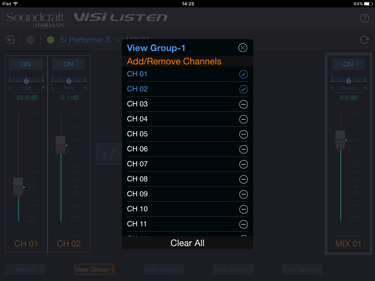
- Create custom View Groups for quicker navigation from a tailored channel setup
- Set access restrictions to prevent accidental changes to other mix buses
Since Si Series mixing consoles can be wirelessly networked, FOH engineers can control specific layers on multiple consoles. And now, thanks to ViSi Listen, multiple performers can adjust their respective monitor mixes without accidentally modifying the FOH mix or the channel and bus processing parameters.
Better still, users can quickly customize which channels to view on their device with a tap of the “+” button in the View Group Page. From there, performers can adjust volume and pan parameters on each of the selected channels for a truly personalized monitor mix.


 updated: May 2026




 Consultant Support