Vi400/600 Upgrade

Vi400/600 Upgrade
Larger Images

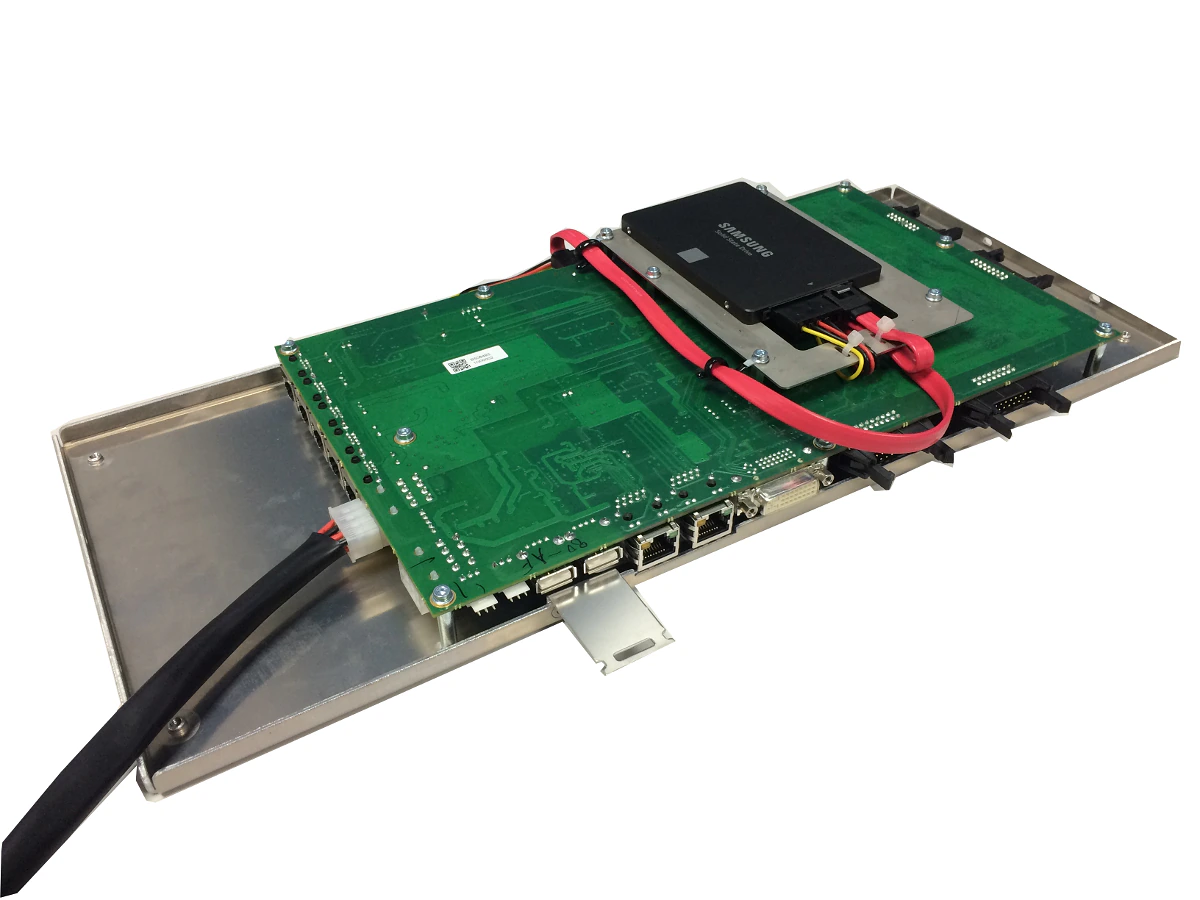
The Vi400/600 Control Module is designed to directly replace the Vi4/6 ‘silver box’ Control Module and provide a faster processor, more reliable performance with hard-soldered DisplayLink-based graphics outputs rather than the PCI graphics card of the original system. The new module runs a variant of V6.x software, but with a cut-down feature set compared to Vi000- series consoles, appropriate to the capabilities of the Vi2/4/6 surface and Local Rack. A useful application for this upgrade would be to give an existing surface a new lease of life and allow it to function as an emergency backup surface, rather than being disposed of, when a full Vi5/7000 upgrade is purchased.

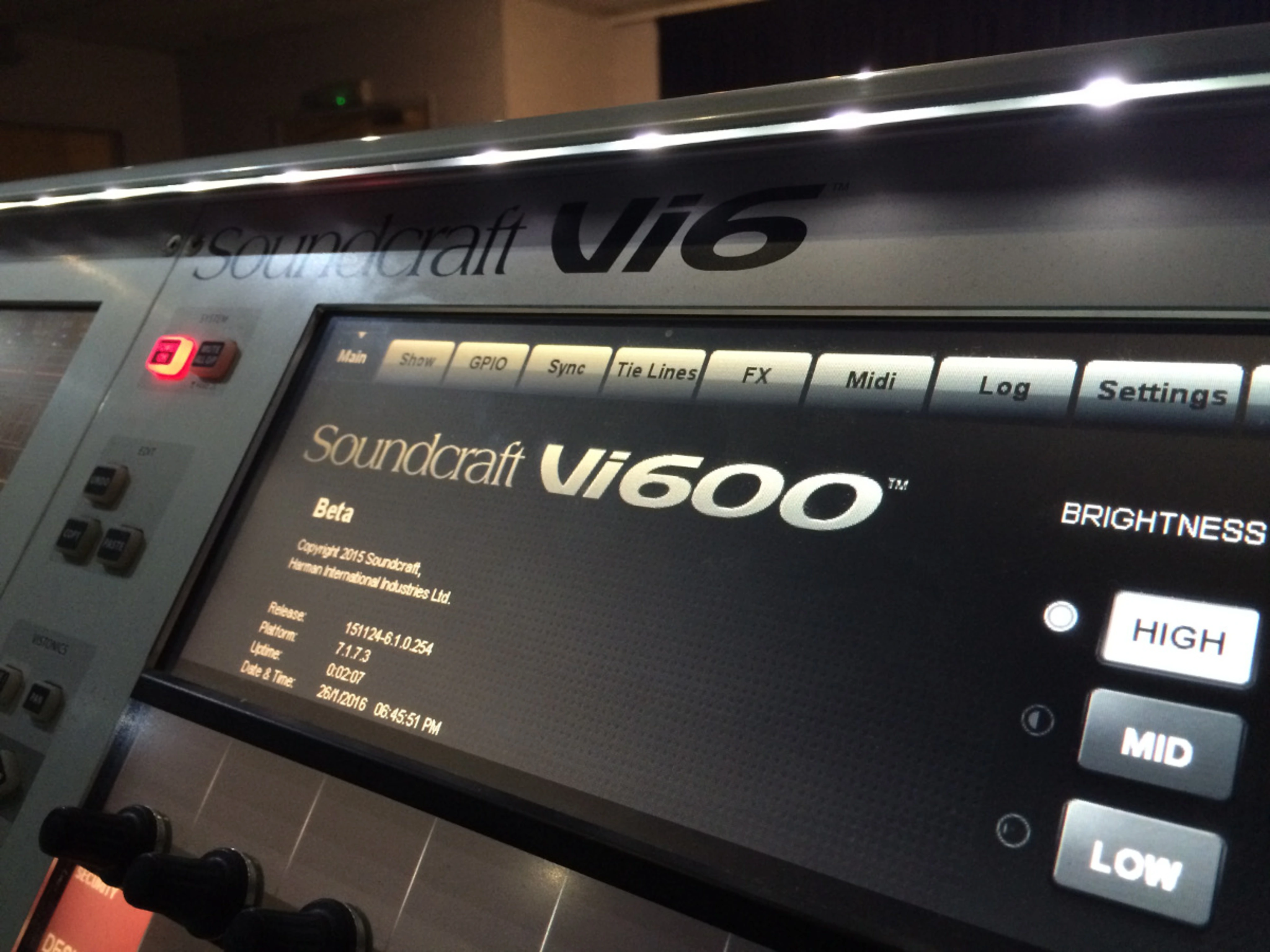
The control surface will externally remain a Vi4 or 6, but will identify as a Vi400 or 600 on its main Menu screen.

Note that the control module upgrade is also available for Vi2 consoles, which will become Vi200 once upgraded.

Features

Features available when a Vi2/4/6 console is upgraded with this option:

  • New-look 3D-Vistonics touchscreen graphics, as Vi000-series consoles
  • 30-second Fast-boot
  • Faster surface response, particularly on layer changes
  • Functioning Setup buttons for encoder USER mode assign and F1-6-key assign
  • Shure Mic Monitoring
  • Full-featured ViSi Remote, with EQ, Dynamics & metering (V6.2 s/w and ViSi Remote V3.2 onwards)
  • ‘Mirroring’ of two consoles (V6.2 s/w onwards)
  • Ability to control the console on-line using Virtual Vi as well as the Control Surface
  • Input channels assignable to Master Bay feature (V6.2 s/w onwards)
  • Increased number of insert points (64) and tie lines (128)
  • Ability to use the upgraded Surface with either a Vi4/6 ‘Classic’ Local Rack, or a Vi5/7000 Local Rack *
  • Local I/O can either use original passive breakout box on Classic Local Rack, or ABB on Vi5/7000 Local Rack
  • Ability to benefit from future software updates on the V6.x software platform (new features may be restricted compared with Vi000-series due to the limitations of the surface and DSP in the Local Rack)

*Features from Vi5/7000 that are NOT available with the Vi4/600 Control Module upgrade are:

  • 128 inputs not available (channel count remains at 96ch assuming minimum of 3 DSP cards in Classic rack, or 5 or 8 DSP cards in a Vi5/7000 Local Rack).
  • 96kHz sample rate operation not available
  • BSS DPR 901ii Dynamic EQ not available
  • vMIX automatic microphone mixing not available

These features are ONLY available by implementing a FULL Vi5000/7000 Upgrade or by purchasing a complete new Vi5000/7000 system (see the Vi5000 or 7000 web pages for product details and information about the upgrade possibilities).

Installation

Installation is straightforward and requires only basic tools as the new Control System Module is connector-compatible with the original ‘Silver Box’ unit, and mounts to the chassis using the same fixings. Some re-routing of internal cables is necessary along with the removal of some parts of the original system which are no longer required, but all of this can be done without soldering. The upgrade process should take around an hour, depending on level of technical experience.

If in any doubt, your local Soundcraft distributor or agent can perform the upgrade for you.

Software

Although the Control Module is supplied with operating software installed, a software update should be performed once the modified console is up and running. The latest software upgrade files and matching Virtual Vi Offline Editor are available via the Downloads tab of this web page.

Full installation instructions are provided in printed form with each Control Module, and are available to download below.

Downloads

Offline Editors
  Version Size Uploaded
download icon for Soundcraft Virtual Vi Soundcraft Virtual Vi
version 6.4.8.360, updated: Jan 2026
6.4.8.360   22.4 MB Jan 2026
download icon for Soundcraft Virtual Vi [PREVIOUS VERSION] Soundcraft Virtual Vi [PREVIOUS VERSION]
version 6.4.7.353, released: Dec 2024
6.4.7.353   22.3 MB Dec 2024
Software Updaters
  Version Size Uploaded
download icon for Vix000_Vix00_Vi1-6_Update_updater.zip Vix000_Vix00_Vi1-6_Update_updater.zip
version 5.0.0.39, updated: Jan 2026
5.0.0.39   484 KB Jan 2026
download icon for Vix000_Vix00_Vi1-6_Update_updater.zip [PREVIOUS VERSION] Vix000_Vix00_Vi1-6_Update_updater.zip [PREVIOUS VERSION]
version 5.0.0.38, released: Jan 2022
5.0.0.38   410 KB Jan 2022
Update Instructions for Vix00+Vix000 v2.0   125 KB Jan 2026
download icon for Update_Console.7z Update_Console.7z
version 6.4.8.360, updated: Jan 2026
6.4.8.360   17.8 MB Jan 2026
Release Notes V6.4.8.360   3.94 KB Jan 2026
download icon for Update_Console.7z [PREVIOUS VERSION] Update_Console.7z [PREVIOUS VERSION]
version 6.4.7.353, released: Dec 2024
6.4.7.353   17.8 MB Dec 2024
Release Notes V6.4.7.353   4.91 KB Jan 2026
Install Guides
  Language Size Uploaded
file type icon Vi400/600 Upgrade Install Guide-English
en updated: Apr 2026
en  2.63 MB Apr 2026
Owners Manuals
  Language Size Uploaded
file type icon Vi V6.4.7 Software User Guide v1.0
en updated: May 2026
en  1.13 MB May 2026
file type icon Vi V6.4.4 Software User Guide v1.0
en updated: Apr 2026
en  1.02 MB Apr 2026
file type icon Vi V6.4.3 Software User Guide v1.1
en updated: Apr 2026
en  965 KB Apr 2026
file type icon V6.4 Software User Guide Supplement
en updated: Apr 2026
en  2.03 MB Apr 2026
file type icon V6.3 Software Features User Guide
en updated: Apr 2026
en  1.79 MB Apr 2026
file type icon Vi V6.2 Mirroring User Guide v1.2
en updated: Apr 2026
en  2.59 MB Apr 2026

News

Support/FAQs

HARMAN Professional Solutions: