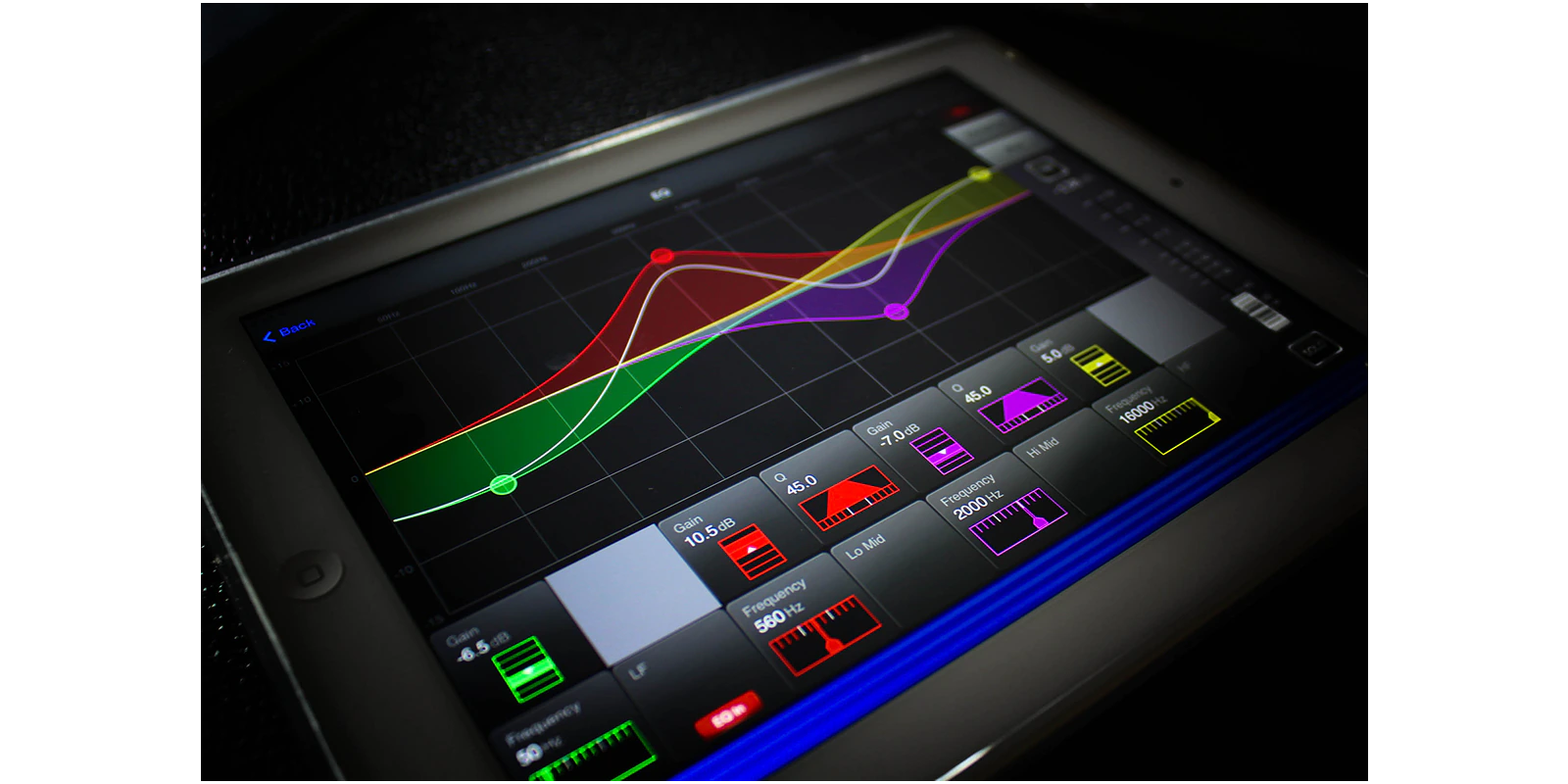


Soundcraft ViSi Remote è un'app iPad che fornisce il controllo wireless delle console Soundcraft Si Expression, Si Compact, Si Performer e Vi Series. ViSi Remote consente di mixare e scolpire il suono da qualsiasi punto del locale, senza i vincoli dei cavi.
I sistemi possono essere configurati per funzionare in diversi modi.
- Un singolo iPad può controllare i livelli e l'EQ grafico di una console.
- Più iPad possono controllare le impostazioni di una singola console. Questo significa che gli artisti possono controllare ciascuno il proprio mix monitor direttamente dalla propria postazione sul palco.
- Un singolo iPad può controllare più console in rete, tra cui qualsiasi console della gamma sopra indicata: è quindi possibile combinare console Si e Vi nella stessa rete.
- L'app ViSi può essere utilizzata come strumento di familiarizzazione offline.
È sufficiente collegare un router wireless* alla porta HiQnet della console per mixare a distanza in pochi minuti. * Soundcraft non garantisce il funzionamento con tutti i router wireless. 
Applicazioni
| • | Ottimizzare il mix di sala (FOH) da qualsiasi punto della sala |
| • | Impostare il guadagno microfonico e i 48V dal palco |
| • | Regolare i livelli monitor stando accanto all'artista |
| • | Regolare le impostazioni della striscia di canale lontano dalla console |
| • | Aumentare il numero di fader di una superficie di controllo esistente |
| • | Utilizzare la modalità standalone per prendere familiarità con le funzioni della console |
| • | Controllare una rete di console (es. FOH e Monitor) |
| • | Fornire una superficie separata per la funzionalità DMX (Solo Si Performer) |
| • | Consentire a più utenti sulla stessa console di controllare i propri mix |
| • | Disporre di una panoramica globale dei misuratori o "meter bridge" come estensione della console |
Funzioni controllate
| • | Denominazione canale | ||||||||||||||
| • | Fader di ingresso e mute | ||||||||||||||
| • | Fader bus, master LR e VCA master e mute | ||||||||||||||
| • | Guadagno Mic e 48V | ||||||||||||||
| • | Le impostazioni ACS includono: | ||||||||||||||
|
|||||||||||||||
| • | EQ grafici su tutte le uscite bus | ||||||||||||||
| • | Livelli di mandata dei canali a ogni mix Aux | ||||||||||||||
| • | Livelli di mandata dei canali a ogni bus FX | ||||||||||||||
| • | Livelli di mandata dei mix a ogni bus matrix | ||||||||||||||
| • | Master DMX (Solo Si Performer) |
Compatibilità
Requisiti software della console per ViSi Remote V2.1.4:
| ViSi Remote V2.1 * | Si Performer V1.6 build 0006 Si Expression V1.6 build 0006 Si Compact V3.1 build 0006 Vi Series V4.6 o superiore ** Vi3000 V5.0.0.229 o superiore ** |
| ViSi Remote V1.2.4 * | Si Performer V1.1 build 6 o superiore Si Expression V1.0 build 4 o superiore Si Compact V2.2 build 5 o superiore Vi Series V4.6 o superiore |
Nota: Il software più recente elencato sopra è necessario per accedere alle impostazioni ACS della console. Con versioni software precedenti, ViSi Remote V1.2.4 non offrirebbe alcun controllo aggiuntivo.
** Le console Vi Series funzionano con ViSi V2.1, ma con le stesse funzionalità della V1.2.4. In ViSi 2.1 l'affidabilità della connessione è stata migliorata, ma non sono previste altre nuove funzioni per gli utenti Vi.
* Come trovare la versione di ViSi Remote se è già installata:
1. Avviare l'app ViSi Remote.
2. Premere il pulsante 'Devices' nell'angolo in alto a sinistra dello schermo per aprire l'elenco dei dispositivi, se non è già aperto.
3. Premere il pulsante 'info' in basso a destra dell'elenco dei dispositivi per visualizzare il numero di versione.
Compatibilità iOS di ViSi Remote V2.1
Per eseguire ViSi Remote V2.1 è richiesto iOS 6 o superiore
Nota per gli utenti iPad
I dispositivi iPad 1 non sono compatibili con iOS 6 e non possono utilizzare l'app ViSi Remote V2.1.
ViSi Remote V1.2.4 è ancora disponibile per gli utenti iPad 1 che desiderano utilizzare l'app ViSi Remote.

 aggiornato: apr 2026


 Supporto Consulenti