Vi400/600 Upgrade

Immagini più grandi

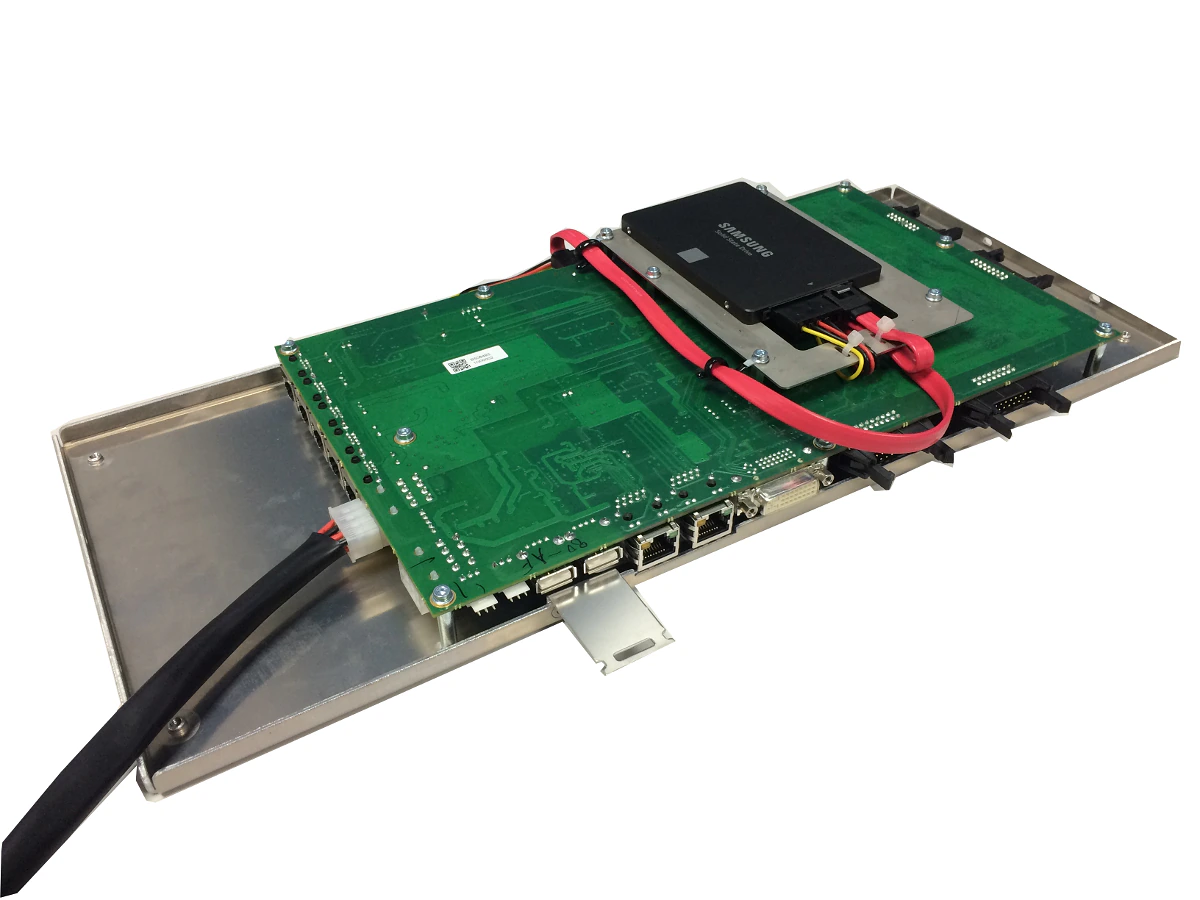
The Vi400/600 Control Module is designed to directly replace the Vi4/6 ‘silver box’ Control Module and provide a faster processor, more reliable performance with hard-soldered DisplayLink-based graphics outputs rather than the PCI graphics card of the original system. The new module runs a variant of V6.x software, but with a cut-down feature set compared to Vi000- series consoles, appropriate to the capabilities of the Vi2/4/6 surface and Local Rack. A useful application for this upgrade would be to give an existing surface a new lease of life and allow it to function as an emergency backup surface, rather than being disposed of, when a full Vi5/7000 upgrade is purchased.

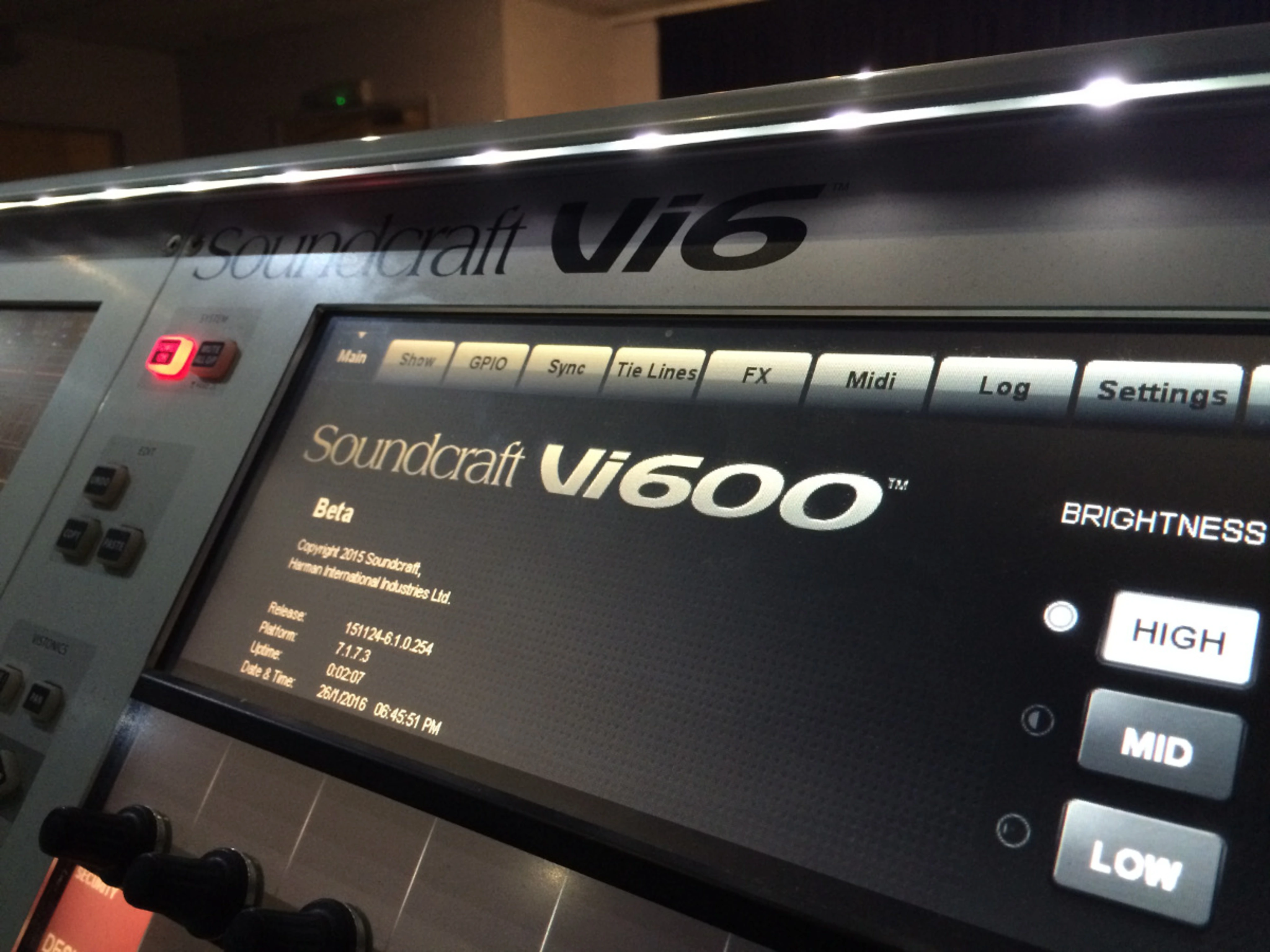
The control surface will externally remain a Vi4 or 6, but will identify as a Vi400 or 600 on its main Menu screen.

Note that the control module upgrade is also available for Vi2 consoles, which will become Vi200 once upgraded.

Ulteriori dettagli

Features available when a Vi2/4/6 console is upgraded with this option:

  • New-look 3D-Vistonics touchscreen graphics, as Vi000-series consoles
  • 30-second Fast-boot
  • Faster surface response, particularly on layer changes
  • Functioning Setup buttons for encoder USER mode assign and F1-6-key assign
  • Shure Mic Monitoring
  • Full-featured ViSi Remote, with EQ, Dynamics & metering (V6.2 s/w and ViSi Remote V3.2 onwards)
  • ‘Mirroring’ of two consoles (V6.2 s/w onwards)
  • Ability to control the console on-line using Virtual Vi as well as the Control Surface
  • Input channels assignable to Master Bay feature (V6.2 s/w onwards)
  • Increased number of insert points (64) and tie lines (128)
  • Ability to use the upgraded Surface with either a Vi4/6 ‘Classic’ Local Rack, or a Vi5/7000 Local Rack *
  • Local I/O can either use original passive breakout box on Classic Local Rack, or ABB on Vi5/7000 Local Rack
  • Ability to benefit from future software updates on the V6.x software platform (new features may be restricted compared with Vi000-series due to the limitations of the surface and DSP in the Local Rack)

*Features from Vi5/7000 that are NOT available with the Vi4/600 Control Module upgrade are:

  • 128 inputs not available (channel count remains at 96ch assuming minimum of 3 DSP cards in Classic rack, or 5 or 8 DSP cards in a Vi5/7000 Local Rack).
  • 96kHz sample rate operation not available
  • BSS DPR 901ii Dynamic EQ not available
  • vMIX automatic microphone mixing not available

These features are ONLY available by implementing a FULL Vi5000/7000 Upgrade or by purchasing a complete new Vi5000/7000 system (see the Vi5000 or 7000 web pages for product details and information about the upgrade possibilities).

Caratteristiche

L'installazione è semplice e richiede solo attrezzi di base poiché il nuovo Control System Module è compatibile con i connettori dell'unità 'Silver Box' originale e si fissa allo chassis utilizzando gli stessi supporti. È necessario effettuare un nuovo percorso di alcuni cavi interni e rimuovere alcuni componenti del sistema originale che non sono più necessari, ma tutto questo può essere fatto senza saldature. Il processo di aggiornamento dovrebbe richiedere circa un'ora, a seconda del livello di esperienza tecnica.

In caso di dubbi, il vostro distributore o agente Soundcraft locale può eseguire l'aggiornamento per voi.

Software

Sebbene il Control Module sia fornito con il software operativo già installato, è consigliabile eseguire un aggiornamento software una volta che la console modificata è in funzione. I file di aggiornamento software più recenti e il corrispondente Virtual Vi Offline Editor sono disponibili tramite la scheda Download di questa pagina web.

Le istruzioni complete per l'installazione sono fornite in forma stampata con ogni Control Module e sono disponibili per il download di seguito.

Download

Editor Offline
  Versione Dimensione Caricato
download icon for Soundcraft Virtual Vi Soundcraft Virtual Vi
versione 6.4.8.360, aggiornato: gen 2026
6.4.8.360   22,4 MB gen 2026
download icon for Soundcraft Virtual Vi [PREVIOUS VERSION] Soundcraft Virtual Vi [PREVIOUS VERSION]
versione 6.4.7.353, rilasciato: dic 2024
6.4.7.353   22,3 MB dic 2024
Aggiornatori Software
  Versione Dimensione Caricato
download icon for Vix000_Vix00_Vi1-6_Update_updater.zip Vix000_Vix00_Vi1-6_Update_updater.zip
versione 5.0.0.39, aggiornato: gen 2026
5.0.0.39   484 KB gen 2026
download icon for Vix000_Vix00_Vi1-6_Update_updater.zip [PREVIOUS VERSION] Vix000_Vix00_Vi1-6_Update_updater.zip [PREVIOUS VERSION]
versione 5.0.0.38, rilasciato: gen 2022
5.0.0.38   410 KB gen 2022
Update Instructions for Vix00+Vix000 v2.0   125 KB gen 2026
download icon for Update_Console.7z Update_Console.7z
versione 6.4.8.360, aggiornato: gen 2026
6.4.8.360   17,8 MB gen 2026
Release Notes V6.4.8.360   3,94 KB gen 2026
download icon for Update_Console.7z [PREVIOUS VERSION] Update_Console.7z [PREVIOUS VERSION]
versione 6.4.7.353, rilasciato: dic 2024
6.4.7.353   17,8 MB dic 2024
Release Notes V6.4.7.353   4,91 KB gen 2026
install_guides
  Lingua Dimensione Caricato
file type icon Vi400/600 Upgrade Guida all'installazione-Inglese
en aggiornato: apr 2026
en  2,63 MB apr 2026
owners_manuals
  Lingua Dimensione Caricato
file type icon Vi V6.4.7 Software User Guide v1.0
en aggiornato: mag 2026
en  1,13 MB mag 2026
file type icon Vi V6.4.4 Software User Guide v1.0
en aggiornato: mag 2026
en  1,02 MB mag 2026
file type icon Vi V6.4.3 Software User Guide v1.1
en aggiornato: apr 2026
en  965 KB apr 2026
file type icon V6.4 Software User Guide Supplement
en aggiornato: apr 2026
en  2,03 MB apr 2026
file type icon V6.3 Software Features User Guide
en aggiornato: apr 2026
en  1,79 MB apr 2026
file type icon Vi V6.2 Mirroring User Guide v1.2
en aggiornato: apr 2026
en  2,59 MB apr 2026

Notizie

Supporto/FAQ

HARMAN Professional Solutions: