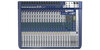
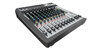
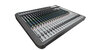
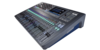
Soundcraft Multichannel USB Audio Driver V3.20

Ultimo aggiornamento: 25 mar

Download Soundcraft Multichannel USB Audio Driver V3.20

WINDOWS 10 OPERATING SYSTEM NOTIFICATION

Windows 10 enforces driver signatures by default. This can be disabled to install drivers that are not digitally signed. Use the following steps to disable driver signature enforcement.

  1. Click the Start menu and select Settings.
  2. Click Update and Security.
  3. Click on Recovery.
  4. Click Restart now under Advanced Startup.
  5. Click Troubleshoot.
  6. Click Advanced options.
  7. Click Startup Settings.
  8. Click on Restart.
  9. On the Startup Settings screen press 7 or F7 to disable driver signature enforcement.

Your computer will restart and you will be able to install non-digitally signed drivers. If you restart your computer again the driver signature enforcement will be re-enabled.


Prodotti correlati

  • Si Option Cards

    Si Option Cards

    Flessibile e ricco di possibilità di espansione
  • Signature 10

    Signature 10

    Missaggio analogico compatto - il vostro sound Signature
  • Signature 12

    Signature 12

    Missaggio analogico compatto - il vostro suono caratteristico
  • Signature 16

    Signature 16

    Missaggio analogico compatto - il vostro suono Signature
  • Signature 22

    Signature 22

    Miscelazione analogica compatta - il tuo suono inconfondibile
  • Signature 12 MTK

    Signature 12 MTK

    Mixare, registrare e produrre il tuo suono Signature
  • Signature 22 MTK

    Signature 22 MTK

    Mixare, registrare e produrre il vostro Signature sound
  • Si Impact

    Si Impact

    Console di Missaggio Digitale a 80 Ingressi e Interfaccia USB 32-in/32-out e Controllo iPad